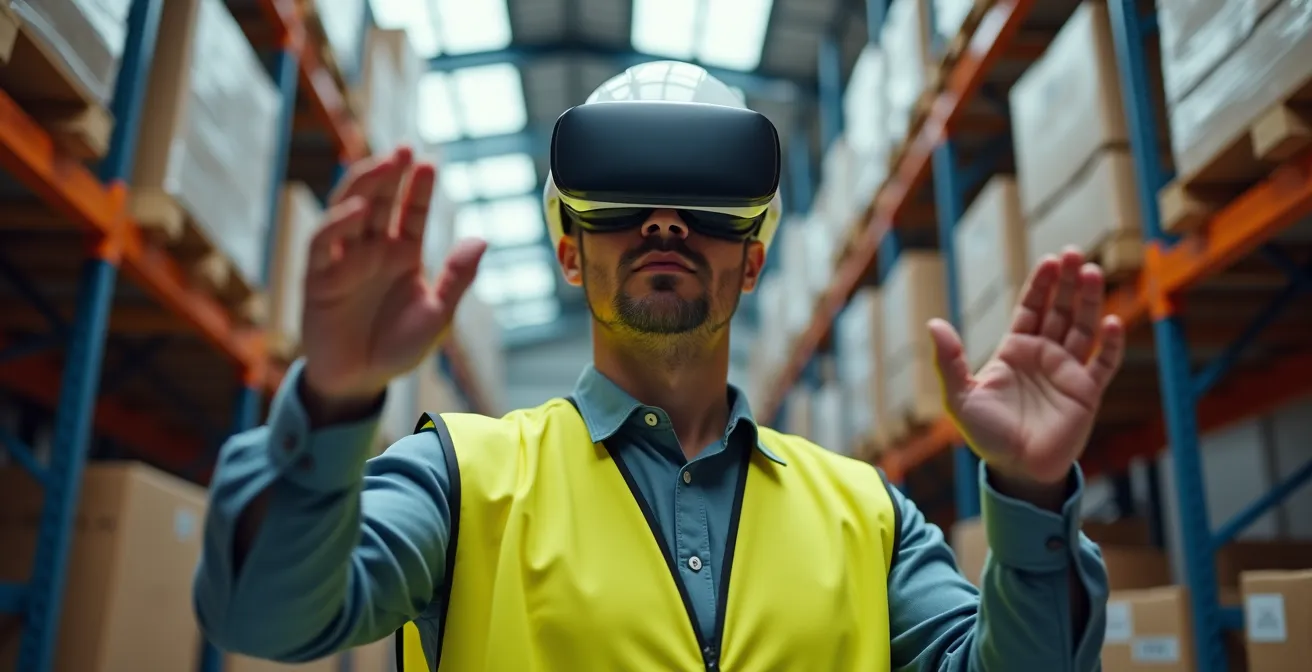
VR safety training delivers a tangible reduction in workplace incidents by building resilient “muscle memory” that traditional methods can’t match.
- Retention soars to 75% because VR creates “perceptual fidelity,” tricking the brain into learning from experience.
- Effective programs focus on “controlled failure”—scripting realistic error scenarios to teach resilience without real-world risk.
Recommendation: Begin with a pilot program using standalone headsets for a specific, high-risk task to measure baseline improvements in safety metrics before scaling.
As an HR Director in a high-risk industry, your primary mandate is mitigating risk. Yet, the tools for safety training have remained stubbornly archaic. PowerPoint presentations and classroom lectures produce abysmal retention rates, leaving your organization exposed to the financial and human cost of preventable accidents. You know there must be a better way to prepare your workforce for critical, high-consequence events, but the path forward seems cluttered with technological hype that rarely translates into a measurable impact on your safety record.
The conversation around Virtual Reality (VR) often gets lost in buzzwords like “immersion” and “engagement.” While true, these descriptions miss the fundamental point. The strategic value of VR for safety training isn’t about the novelty of the technology; it’s about its unique ability to facilitate learning through a process of controlled failure. It allows employees to experience and react to dangerous situations in a zero-risk environment, forging a deep-seated cognitive and physical understanding—a true “muscle memory”—that lectures can never replicate. This is not about gamification; it’s about targeted, repeatable, and measurable risk rehearsal.
This article moves beyond the superficial benefits to provide a professional framework for deploying VR safety training. We will explore how to script effective failure scenarios, choose the right hardware for your operational environment, overcome common adoption barriers, and, most importantly, track the return on investment through a direct reduction in workplace incidents.
To provide a concrete example of what a high-stakes simulation looks like, the following video demonstrates a scenario within a medical environment, highlighting the level of detail and pressure that can be replicated.
This guide is structured to walk you through the key strategic considerations for implementing a VR training program that delivers quantifiable safety improvements. The following sections will break down the core components, from the science of retention to the practicalities of deployment and ROI measurement.
Summary: A Strategic Framework for VR Safety Training
- Why Employees Retain 75% More Information Through VR Than PowerPoints?
- How to Script Failure Scenarios That Teach Resilience Without Trauma?
- Standalone Headsets vs PC-Tethered: Which Setup Suits Warehouse Training Best?
- The Motion Sickness Barrier: Why Your Staff Hates the New VR Training
- When to Expect ROI: Tracking Accident Reduction After VR Implementation
- How to Upskill Your Workforce for Future Tech Before the Gap Widens?
- Why Human Error Spikes After 2 PM in Data Processing Tasks?
- Achieving Zero Latency: Is It Physically Possible for Remote Surgery?
Why Employees Retain 75% More Information Through VR Than PowerPoints?
The dramatic difference in knowledge retention between VR and traditional methods isn’t magic; it’s neuroscience. Passive learning, such as watching a presentation or reading a manual, engages very limited parts of the brain. In contrast, VR leverages a principle called “perceptual fidelity” to create an experience the brain processes as real. As Professor Amitabh Varshney of the University of Maryland notes, “VR technology provides perceptual fidelity that enables learners to benefit from experience. It can replicate situations, giving context with a spatial component.” This means the learner isn’t just told about a hazard; they see it, hear it, and must physically react to it.
This active, experiential learning engages motor and spatial memory systems, leading to far more robust neural pathways. Data from numerous studies validates this. For instance, findings have consistently shown an astonishing 75% retention rate for VR learning vs 5% for lectures. When an employee practices shutting off a valve during a simulated leak, their brain encodes the physical sequence of actions, the visual cues of the alarm, and the auditory stress of the siren. This multi-sensory encoding creates a form of muscle memory that is automatically recalled under real-world pressure, unlike a forgotten bullet point from a slide deck.
For HR Directors, this translates directly to liability mitigation. An employee who has “lived” through a near-miss scenario in VR is demonstrably better prepared to act correctly and decisively when a real incident occurs. The training moves from a checkbox for compliance to a genuine tool for risk reduction, creating a more resilient and competent workforce.
How to Script Failure Scenarios That Teach Resilience Without Trauma?
The single greatest advantage of VR safety training is the ability to practice for failure. In the real world, a mistake can be catastrophic. In VR, it is a critical learning opportunity. However, scripting these scenarios requires a delicate balance. The goal is to build resilience, not induce trauma or a sense of helplessness. An effective “controlled failure” program is not about punishing errors but about reinforcing correct procedures through repetition and immediate, constructive feedback.
A successful approach avoids overwhelming the trainee. Instead, it uses graded difficulty, starting with simple hazard identification and gradually introducing more complex, multi-stage failure events. For example, a new hire might first be tasked with identifying a single, improperly stored chemical drum. In a later module, they might have to manage a simulated chemical spill that results from that initial hazard, testing their full emergency response protocol. The key is providing immediate feedback without punitive consequences. If a trainee makes a mistake, the simulation shouldn’t just end with a “FAIL” screen. It should explain the consequence of the error and offer an instant replay functionality, allowing them to retry the scenario until the correct procedure becomes second nature.
A prime example of this philosophy is 3M’s fall protection VR training. Trainees are placed in a simulation where they must identify defects in a safety harness within a two-minute window. The simulation presents different defects each time, reinforcing comprehensive inspection knowledge through repetition, not by punishing a single missed item. This methodology ensures that learning is focused on mastery of the safety protocol itself, building both competence and confidence. Finally, every failure simulation must conclude with a mandatory debrief session, guided by reflection questions that help the employee process the experience and solidify the lessons learned.
Standalone Headsets vs PC-Tethered: Which Setup Suits Warehouse Training Best?
Choosing the right hardware is a critical operational decision that directly impacts the scalability, cost, and effectiveness of your VR training program. For high-risk environments like warehouses or construction sites, the debate often centers on two primary options: wireless standalone headsets (like the Meta Quest 3) and more powerful PC-tethered systems (like the HTC Vive Pro). While PC-tethered setups offer superior graphical fidelity thanks to dedicated GPUs, their limitations in mobility and higher deployment complexity make them less suitable for most on-the-floor safety training applications.
Standalone headsets represent the most pragmatic choice for large-scale deployment. Their primary advantage is freedom of movement. A worker can physically walk around a simulated environment, duck under virtual obstacles, or practice operating machinery without being encumbered by a cable. This is essential for realism in many safety scenarios. Furthermore, deployment is significantly faster and more scalable. An entire team can be equipped and running a simulation in minutes, a task that would be logistically prohibitive with PC-dependent stations.
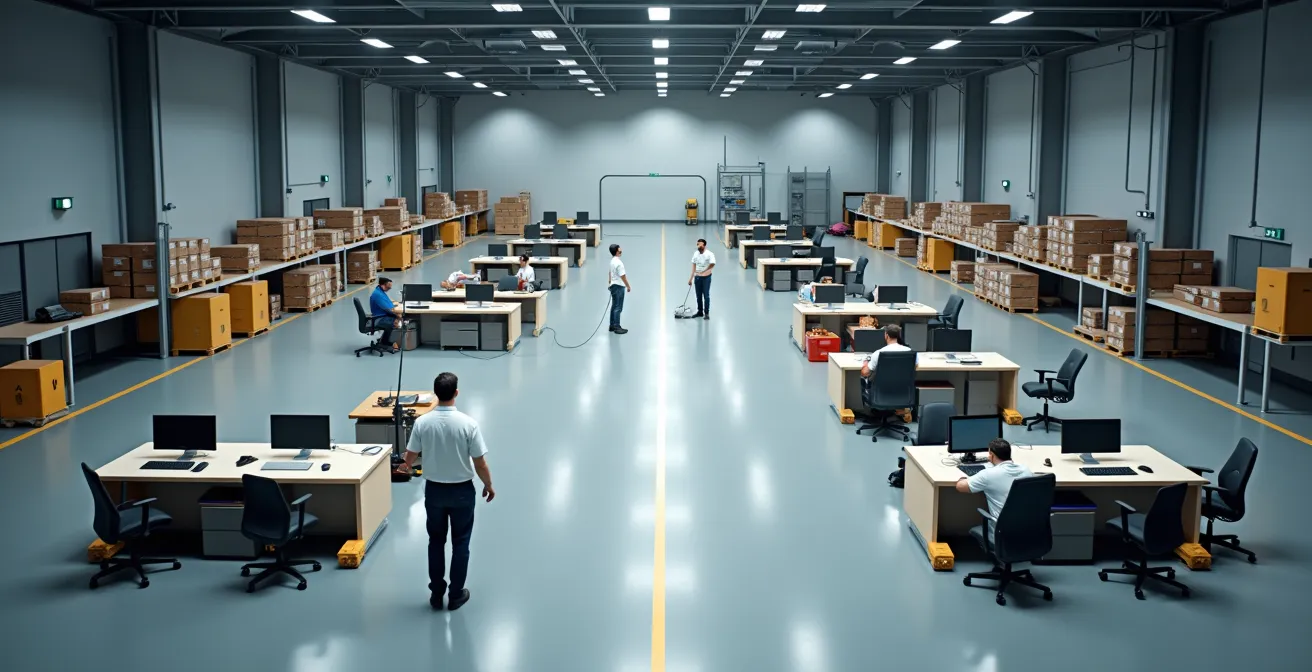
The following table provides a clear comparison of the key factors for a typical warehouse environment, sourced from a recent analysis of VR training hardware.
| Feature | Standalone (Quest 3) | PC-Tethered (Vive Pro) |
|---|---|---|
| Initial Cost per Unit | $500-800 | $1,200-2,000 |
| Freedom of Movement | Excellent (wireless) | Limited (cable tether) |
| Deployment Speed | 5 minutes setup | 30+ minutes setup |
| Graphical Fidelity | Good (mobile processor) | Excellent (dedicated GPU) |
| Scalability | High (MDM ready) | Low (PC dependent) |
| Best Use Case | Floor training, refreshers | Initial onboarding, complex simulations |
For HR Directors, the clear winner for scalable, on-site safety refreshers and procedural training is the standalone headset. The lower cost per unit and ease of deployment allow for a wider rollout, maximizing the program’s reach and impact on your overall safety culture.
The Motion Sickness Barrier: Why Your Staff Hates the New VR Training
Despite the proven benefits, one of the most significant barriers to adoption for any new VR program is cybersickness, or motion sickness. If a sizable portion of your staff reports feeling dizzy or nauseous, the program is doomed to fail, regardless of its instructional quality. Understanding and proactively mitigating this issue is not an IT problem; it is a core responsibility of the program’s design and a key element of safety-first implementation.
Cybersickness is primarily caused by a sensory mismatch: the eyes see movement that the inner ear’s vestibular system does not feel. This conflict can be exacerbated by low frame rates (anything below 72 frames per second) or unnatural locomotion mechanics, such as smooth joystick-based movement that feels like floating. The good news is that this is a largely solvable problem. A well-designed onboarding protocol can reduce the incidence of discomfort from an initial 40-60% of new users to under 10%.
The key is gradual acclimatization. New users should never be thrown into a complex, fast-moving simulation. Instead, their first experiences should be short (5-10 minutes) and static, allowing them to get used to the headset in a stable environment. Training modules must incorporate comfort settings, such as “teleportation” movement (instantly jumping from point A to B) instead of smooth walking, and “vignetting,” which narrows the field of view during movement to reduce peripheral motion cues. When these protocols are followed, the results speak for themselves. In a large-scale rollout to 22,000 employees, Walmart’s study found a 30% increase in employee satisfaction with VR training compared to other methods, demonstrating that when the comfort barrier is properly managed, user acceptance can be extremely high.
When to Expect ROI: Tracking Accident Reduction After VR Implementation
For any significant investment, the C-suite will ask one question: what is the return? The ROI of VR safety training is not measured in “engagement” or “satisfaction” but in hard, quantifiable reductions in safety incidents and their associated costs. A successful program must have clear Key Performance Indicators (KPIs) from day one, with the primary metric being the rate of workplace accidents, injuries, and near-misses.
The data supporting this is compelling. For example, a 2024 scientific study of 200 industrial workers demonstrated a 30% reduction in workplace accidents following the implementation of VR-based training modules. This is the headline number that justifies the initial capital expenditure on headsets and software development. To track this, your organization must establish a clear baseline of incident rates for at least 12 months prior to the VR program’s launch. Then, as the program is rolled out to specific teams or departments, you can measure the change in those rates over the following 6, 12, and 24 months.

Beyond direct accident reduction, ROI is also found in cost savings. Tyson Foods, for instance, implemented VR training for hazard awareness and safety procedures. The company not only achieved a more than 20% reduction in injuries and illnesses but also estimated savings of 30-70% in overall training costs. These savings come from reduced travel, less need for physical instructors, minimized operational downtime for training, and, crucially, lower workers’ compensation claims. A proper ROI calculation must account for both the direct cost of accidents avoided and the operational efficiencies gained.
How to Upskill Your Workforce for Future Tech Before the Gap Widens?
Beyond immediate safety compliance, VR training is a powerful strategic tool for future-proofing your workforce. As industrial equipment becomes more automated and complex, the skills gap widens. VR and the concept of “digital twins”—virtual replicas of physical equipment—offer a scalable way to upskill employees on new machinery and processes before they are even installed on the factory or site floor. This proactive approach minimizes the downtime and learning curve associated with new technology rollouts.
Imagine a scenario where your company is investing in a new line of robotic assemblers. Instead of waiting for the physical installation, technicians can begin training on an exact digital twin of the equipment in VR months in advance. They can practice maintenance procedures, learn new software interfaces, and even simulate common malfunctions in a safe, virtual environment. Boeing used this approach for complex assembly processes and achieved a staggering 75% reduction in training time while simultaneously reporting a 90% increase in first-time quality. This demonstrates that VR is not just for preventing negative outcomes (accidents) but also for accelerating positive ones (mastery and efficiency).
This upskilling process allows you to identify high-aptitude employees early. By tracking performance analytics within the VR simulations, you can spot individuals who master complex tasks quickly and groom them for more advanced roles. This creates a clear career progression pathway and ensures your most valuable talent is being prepared for the technological shifts of tomorrow.
Your Action Plan: VR Digital Twin Implementation
- Create 3D scans of existing equipment to establish baseline digital twins for current operations.
- Convert your Standard Operating Procedures (SOPs) into interactive VR modules with step-by-step visual guidance.
- Deploy standalone headsets to the shop or site floor for on-demand micro-learning sessions.
- Track skill progression and identify knowledge gaps through VR performance analytics dashboards.
- Identify high-aptitude employees based on simulation scores for targeted advanced training on future systems.
Why Human Error Spikes After 2 PM in Data Processing Tasks?
In any operational setting, from data processing centers to manufacturing lines, there is a well-documented spike in human error during the post-lunch, mid-afternoon slump. This is due to a combination of factors including circadian rhythms, mental fatigue, and decreased vigilance. For safety-critical tasks, this slump represents a significant period of increased risk. Traditional methods of combating this, such as extra coffee breaks, have limited effect. VR, however, offers a novel and highly effective way to re-engage a fatigued brain and refocus attention on safety protocols.
The immersive nature of VR demands a higher level of cognitive engagement than traditional screen-based e-learning. In fact, research shows VR learners are 4x more focused during VR training compared to their e-learning counterparts. This heightened focus can be leveraged strategically to combat attention fatigue. Instead of another passive safety reminder, a brief, targeted VR session can effectively “reboot” an employee’s situational awareness.
5-minute VR ‘Micro-Training’ sessions on hazard identification can re-engage a physically fatigued brain and re-focus attention on safety protocols.
– PIXO VR Research Team, PIXO VR Workplace Safety Study
These “micro-training” sessions are not full-blown simulations. They can be short, 2-5 minute exercises deployed directly at an employee’s workstation or in a break area. For example, a session could challenge a worker to spot three subtle safety hazards in a virtual replica of their own work environment. This short burst of active, engaging problem-solving is far more effective at restoring focus than another passive reminder. It shifts the brain from a state of low vigilance to one of active hazard-seeking, directly countering the afternoon slump and reducing the likelihood of a fatigue-related error.
Key Takeaways
- VR’s effectiveness comes from “perceptual fidelity,” which creates neurological muscle memory and boosts retention to 75%.
- The core of VR safety training is “controlled failure”—allowing employees to learn from mistakes in a zero-risk environment.
- For scalability and mobility in industrial settings, wireless standalone headsets are superior to PC-tethered systems.
Achieving Zero Latency: Is It Physically Possible for Remote Surgery?
The conversation around VR and remote operations often drifts towards futuristic applications like remote surgery, where the concept of “zero latency” is paramount. Latency, the delay between an action and its virtual representation, is indeed a physical limitation governed by the speed of light and network infrastructure. For an application like telesurgery, even a few milliseconds of delay can be catastrophic. However, for the vast majority of corporate safety training applications, achieving zero latency is neither possible nor necessary. The challenge is not eliminating latency, but engineering a deployment strategy that makes it irrelevant.
Worrying about network latency for a multi-site training rollout is a common but misplaced concern. A robust VR training program for an industrial company does not rely on streaming high-fidelity graphics over the internet in real-time. This would be inefficient, costly, and unreliable. The professional standard is a model of distributed content with asynchronous data synchronization. In this model, the training modules are pre-loaded onto standalone headsets at each site. This completely bypasses any issues of network lag during the training experience itself, as the simulation runs locally on the device’s processor.
The FM Logistique case study provides a perfect real-world example. To deploy VR training across more than 50 logistics sites, they used a strategy of pre-loading content onto headsets managed with an edge computing architecture. The training experience for the employee was seamless and lag-free. Performance metrics, completion data, and user analytics were then uploaded asynchronously to a central server when the headset was connected to Wi-Fi after the session. This intelligent architecture provides the best of both worlds: a high-quality, latency-free user experience and centralized, synchronized training metrics for management and compliance tracking. For HR Directors, this means a scalable, reliable deployment is achievable with today’s technology, without waiting for a “zero latency” future.
To effectively mitigate risk and begin building a safer workforce, the next logical step is to identify a single, high-impact use case for a pilot VR training program within your organization.
Frequently Asked Questions on Virtual Simulations for Safety Training
What causes VR motion sickness in training?
Low frame rates below 72fps, unnatural locomotion mechanics, and sensory mismatch between visual and vestibular systems.
How can we reduce VR sickness for new users?
Start with 5-10 minute static experiences, use teleportation instead of smooth movement, and provide comfort settings like vignetting.
What percentage of users experience VR discomfort?
Initially 40-60% report some discomfort, but this drops to under 10% after proper acclimatization protocols.