Relying on SMS for multi-factor authentication (MFA) is no longer a viable security strategy; it’s a direct vulnerability that attackers are actively exploiting.
- SIM swapping allows hackers to hijack your phone number by manipulating mobile carriers, completely bypassing SMS-based security.
- Even “secure” methods like authenticator apps are vulnerable to real-time phishing and endpoint compromise if your device has spyware.
Recommendation: Immediately migrate all critical accounts (especially banking and email) to phishing-resistant MFA, such as a hardware security key (e.g., YubiKey), and audit your mobile carrier’s security settings.
You receive a text message with a six-digit code to log into your bank account. For a moment, you feel secure. This is multi-factor authentication (MFA) in action, the security measure everyone says you must use. But this feeling of safety is a dangerous illusion. The truth is, if that code arrived via SMS, your security is already compromised. While the common advice is to “enable MFA,” this guidance is dangerously incomplete. It fails to address the collapsing trust in the very systems that deliver these codes.
The conversation can no longer be about *if* you use MFA, but *which* MFA you use and, more importantly, understanding the systemic failures that can render it useless. The threat isn’t just one clever hacker; it’s a chain of weaknesses stretching from your mobile carrier’s under-trained support staff to the spyware potentially lurking on your phone, and even the insecure smart devices on your home network. Attackers are not just breaking one lock; they are dismantling the entire security architecture, piece by piece.
This is not about fear-mongering; it is an urgent call for a paradigm shift in how we view digital security. The belief that a simple SMS code or a push notification provides adequate protection is outdated and reckless. This article will dissect the anatomy of these modern attacks. We will expose why your phone number is your biggest liability, compare the real-world security of different MFA methods, and reveal the threats that exist beyond the login screen, such as MFA fatigue and endpoint compromise.
The goal is to move beyond the platitude of “use MFA” and arm you with the critical knowledge to build a truly resilient defense. It’s time to understand the full authentication chain of trust and secure every single link.
Summary: Why SMS MFA Is a Critical Security Failure
- Why Hackers Can Steal Your Phone Number to Bypass MFA?
- How to Set Up a YubiKey for Unphishable Account Protection?
- FaceID vs Authenticator Apps: Which MFA Method Is Harder to Spoof?
- The “MFA Fatigue” Risk: When Users Just Hit “Approve” to Stop the Notification
- How to Combine MFA with Single Sign-On to Reduce Login Friction?
- The Endpoint Risk: Why Encryption Is Useless if Your Phone Has Spyware
- The Security Gap in Smart Lightbulbs That Hackers Use to Enter Networks
- End-to-End Encryption: Why It Might Not Be Enough to Stop Sophisticated Attacks?
Why Hackers Can Steal Your Phone Number to Bypass MFA?
The weakest link in SMS-based authentication isn’t a complex piece of code; it’s a person. Attackers bypass SMS MFA through a devastatingly effective technique called SIM swapping. This isn’t a high-tech “hack” in the traditional sense. It’s a social engineering con where a criminal convinces your mobile carrier’s customer support to transfer your phone number to a new SIM card they control. Once they have your number, they receive all your calls and, more importantly, all your SMS-based MFA codes. Your phone goes dead, and by the time you realize what’s happened, the attacker has already used the codes to reset your passwords and drain your accounts.
The ease and scale of this attack are staggering. Financial losses are immense, with recent fraud prevention statistics showing over $26 million lost to SIM swapping in 2024 in the U.S. alone, while cases in the UK surged by over 1,000%. The technique is so effective that it has been used in high-profile attacks, such as the January 2024 compromise of the U.S. Securities and Exchange Commission’s X (formerly Twitter) account. Hackers used a SIM swap to take control and post fraudulent news about Bitcoin, causing temporary market chaos and severe reputational damage.
This is a systemic failure of the telecommunications industry. Attackers exploit several vulnerabilities: record-breaking data breaches have flooded the dark web with personal information used for verification, outsourced customer service centers pressure agents to resolve issues quickly (leading to “verification bypass fatigue”), and AI-powered voice cloning can now convincingly impersonate you over the phone. Even modern eSIMs are not immune, as the vulnerability lies in the carrier’s human-led authentication process, not the physical card itself.
How to Set Up a YubiKey for Unphishable Account Protection?
If SMS is a broken lock and authenticator apps are phishable, what is the solution? The answer lies in moving to phishing-resistant authentication. This is not just a stronger method; it is a fundamentally different technology. The gold standard for this is FIDO/WebAuthn, most commonly implemented through hardware security keys like a YubiKey. These devices make it mathematically impossible for you to be phished.
When you register a YubiKey with a service (like your bank), it creates a unique key pair. The service only knows your public key. To log in, the service sends a challenge, and your YubiKey “signs” it with its private key, which never leaves the physical device. Even if an attacker tricks you into visiting a fake website, the key won’t work because the domain doesn’t match the one registered. The U.S. government’s own cybersecurity agency makes its position clear, as stated in its official guidance:
The only widely available phishing-resistant authentication is FIDO/WebAuthn authentication. CISA urges all organizations to start planning a move to FIDO because when a malicious cyber actor tricks a user into logging into a fake website, the FIDO protocol will block the attempt.
– CISA (Cybersecurity and Infrastructure Security Agency), More than a Password – MFA Guidance
Setting up this superior level of protection requires a deliberate plan, not just plugging in a device. The process is straightforward but must be done methodically to ensure you don’t lock yourself out of your own accounts.
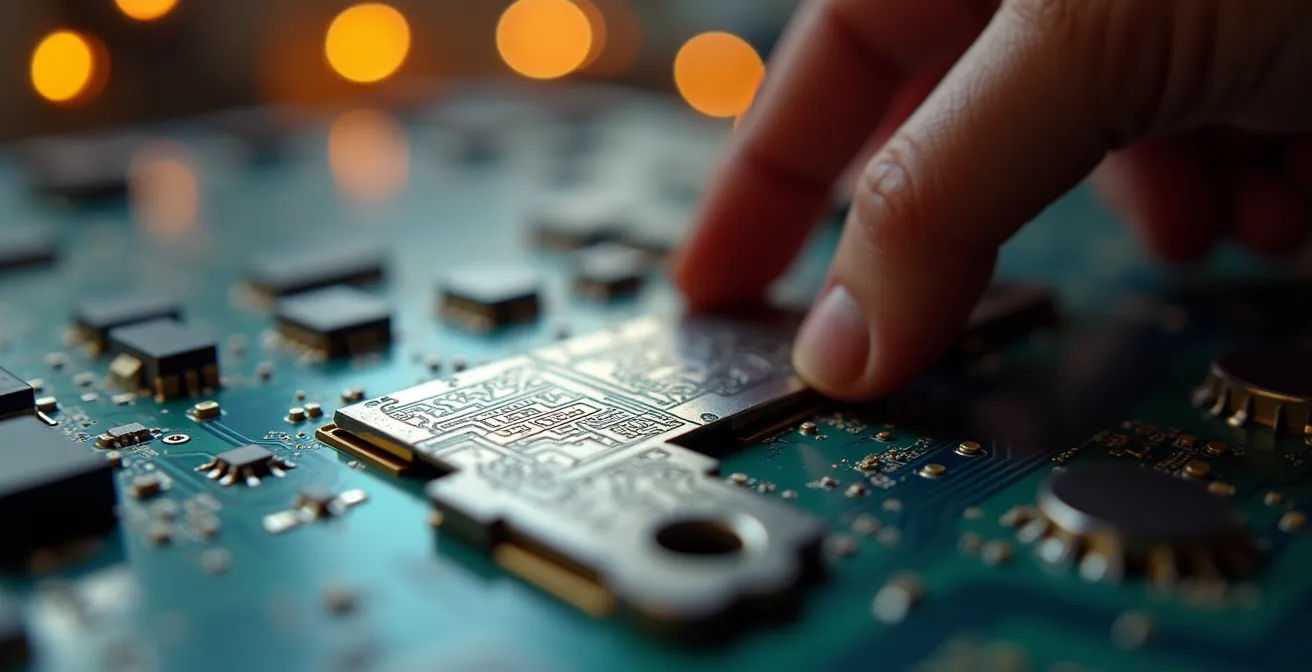
The physical nature of the key, as shown in the close-up, is its core strength. Its intricate circuits perform the cryptographic signing that malware and phishing sites simply cannot replicate. Below is a practical plan for integrating hardware keys into your digital life.
Action Plan: Implementing Your Hardware Key Strategy
- Purchase at least two security keys: One for daily use and a second as a backup stored in a secure, separate location (like a home safe or bank deposit box).
- Enroll both keys with your most critical services first: Start with your primary email, password manager, and financial accounts.
- Test your backup key: After enrolling both, log in with your backup key at least once to ensure it works correctly before storing it away.
- Document your setup: Keep a secure, offline record of which services are protected by your keys. This is vital for disaster recovery.
- Practice the revocation process: Use a non-critical account to learn how to remove a lost or stolen key. Knowing this process beforehand is crucial in an emergency.
FaceID vs Authenticator Apps: Which MFA Method Is Harder to Spoof?
While hardware keys offer the ultimate protection, many services rely on biometrics (like FaceID or TouchID) and authenticator apps (like Google Authenticator or Authy). It is critical to understand that these are not equal. Their position in the authentication chain of trust determines their resilience to attack. The first step, however, is simply to have one. Microsoft’s security analysis reveals that more than 99.9% of compromised accounts did not use any form of MFA, proving that even a flawed method is better than none.
Biometric authentication built into your device (on-device biometrics) is significantly more secure than an authenticator app. With FaceID or a fingerprint scanner, the sensitive data—your facial map or fingerprint template—is stored in a secure enclave on the device and never leaves it. The authentication happens locally. This makes it extremely resistant to remote spoofing; an attacker would need physical access to your face or finger, and even then, modern liveness detection is difficult to fool.
Authenticator apps, which generate Time-based One-time Passwords (TOTP), are a major step up from SMS but have a critical flaw: they are still vulnerable to real-time phishing attacks. An attacker can create a perfect replica of your banking site. When you enter your username, password, and the 6-digit TOTP code, the attacker’s server transparently passes that information to the real site in real-time, logging them in and giving them access to your account. You, the user, have authenticated the attacker.
The following table breaks down the fundamental security differences between these common MFA methods, clarifying the trade-offs in spoofing resistance and recovery risk. As this comparative analysis demonstrates, the method’s architecture is key to its security.
| Authentication Method | Security Level | Spoofing Resistance | Recovery Risk |
|---|---|---|---|
| FaceID/TouchID (Biometric) | High – data never leaves device | Very High – requires physical presence | Low – tied to device hardware |
| Authenticator Apps (TOTP) | Medium-High – time-based codes | Medium – vulnerable to real-time phishing | High – loss of device can lock out access |
| SMS Codes | Low – vulnerable to SIM swapping | Low – easily intercepted | Medium – tied to phone number |
The “MFA Fatigue” Risk: When Users Just Hit “Approve” to Stop the Notification
Even with a relatively secure MFA method like push notifications, attackers have found another weak link to exploit: human psychology. This attack, known as MFA fatigue or push bombing, is brutally simple. The attacker, having already stolen a user’s password, repeatedly triggers login attempts. This floods the user’s phone with dozens or even hundreds of “Approve Login” notifications. Annoyed, confused, or simply wanting the notifications to stop, the user eventually hits “Approve” on one of them, granting the attacker full access.
This is not a theoretical threat. It was the exact method used in the high-profile September 2022 security breach at Uber. More recently, security incident reports show that in early 2024, some Apple users were targeted with a similar MFA fatigue attack after a bug allowed hackers to bypass rate limits on the “Forgot Password” page, enabling them to spam users with system-level prompts.
The attack works because it preys on our natural inclination to make a nuisance go away. It reframes the security prompt not as a defense mechanism, but as an annoyance to be dismissed. To counter this, security platforms are evolving. The most effective defense is number matching. Instead of a simple “Approve/Deny” prompt, the login screen displays a number, and the user must tap the same number on their mobile device. This forces active engagement and makes it nearly impossible to approve a request by accident. Other defenses include implementing time-based and location-aware restrictions that flag or block unusual login attempts and training users to immediately report any unexpected authentication prompts to their IT or security department.
How to Combine MFA with Single Sign-On to Reduce Login Friction?
For security administrators, a major challenge is balancing robust security with user productivity. Forcing users to perform MFA for every single application they access creates significant friction and can lead to backlash or shadow IT. The solution is the strategic combination of MFA with Single Sign-On (SSO). SSO allows a user to authenticate once with a central authority (an Identity Provider or IdP) and then access multiple applications without re-entering their credentials.
The key is to enforce strong MFA at the single point of entry: the IdP. By doing this, you can ensure that the initial login is highly secure while providing a seamless, “passwordless” experience for all subsequent application access during that session. However, modern systems go a step further by implementing a dynamic approach known as Adaptive or Risk-Based Authentication. This method moves beyond a one-size-fits-all security policy.
As security provider OneLogin explains, this intelligent approach creates a more nuanced and effective security posture:
Adaptive Authentication analyzes additional factors by considering context and behavior when authenticating and often uses these values to assign a level of risk associated with the login attempt. The risk level is calculated based upon how these questions are answered and can be used to determine whether or not a user will be prompted for an additional authentication factor or whether or not they will even be allowed to log in.
– OneLogin Security Team, What is Multi-Factor Authentication (MFA)?

This means MFA is not just a static gate but a dynamic control. A login from a trusted device on the corporate network might require no extra steps, but an attempt from an unrecognized device in a different country would automatically trigger a request for a hardware security key. The following table outlines the common strategies for implementing this powerful combination.
| Strategy | Security Level | User Experience | Best For |
|---|---|---|---|
| IdP-Level MFA Only | High – Single strong authentication point | Excellent – One MFA for all apps | Most organizations |
| Service-Level MFA | Variable – Different methods per app | Poor – Multiple MFA prompts | Mixed security requirements |
| Adaptive/Risk-Based | Dynamic – Adjusts to threat level | Good – MFA only when needed | Large enterprises |
The Endpoint Risk: Why Encryption Is Useless if Your Phone Has Spyware
You can have the most advanced, unphishable MFA in the world, but it is all for nothing if the device you’re using is compromised. This is the endpoint risk, and it is one of the most overlooked aspects of the authentication chain of trust. If an attacker manages to install sophisticated spyware on your smartphone or computer, they can see everything you see and capture everything you type. They can steal your password as you enter it and intercept your MFA code before you even use it. In this scenario, your MFA becomes a security theater.
This threat neutralizes many forms of authentication. Encryption of data in transit is rendered useless because the attacker is stealing the data *before* it gets encrypted. An authenticator app is compromised because the spyware can simply copy the code from your screen. The only MFA methods that remain secure in the face of a compromised endpoint are those that are cryptographically tied to the hardware and cannot be replicated by software, like on-device biometrics and FIDO/WebAuthn hardware keys. As security research demonstrates that FIDO2 and WebAuthn have fundamentally superior properties, their use is a direct countermeasure to endpoint attacks.
Securing the endpoint is therefore not an optional step; it is a prerequisite for any meaningful security. This involves a multi-layered defense: installing reputable mobile security software that can detect malware in real-time, being obsessively diligent about app permissions, and only installing applications from official stores. For high-risk individuals, using features like Apple’s Lockdown Mode can severely restrict attack vectors by disabling features commonly exploited by advanced spyware. Your MFA is only as strong as the device it runs on.
The Security Gap in Smart Lightbulbs That Hackers Use to Enter Networks
The authentication chain of trust extends beyond your phone and computer—it includes every device connected to your network. In our hyper-connected world, this includes smart TVs, voice assistants, and even seemingly harmless devices like smart lightbulbs. These Internet of Things (IoT) devices are notoriously insecure. They are often rushed to market with default passwords, infrequent security updates, and minimal protection, creating a massive, undefended attack surface within your home or corporate network.
An attacker may not care about controlling your lights, but they care deeply about using that lightbulb as a beachhead. Once a hacker compromises a vulnerable IoT device, they have a foothold inside your network’s firewall. From there, they can pivot to scan for more valuable targets, like your computer or network storage. If your computer is compromised through this vector, the endpoint risk becomes a reality, and as established, your MFA can be completely bypassed.
The only effective defense against this pervasive threat is network segmentation. This is the practice of creating separate, isolated networks for different categories of devices. Your insecure IoT devices should be placed on a completely separate “guest” network or VLAN. Firewall rules must be configured to strictly prevent any device on the IoT network from initiating communication with your primary network where your trusted devices (like your work laptop) reside. This containment strategy ensures that even if your smart lightbulb is hacked, the damage is firewalled off and the attacker cannot move laterally to compromise your sensitive systems. Security is not just about strong doors; it’s about smart architecture.
Key Takeaways
- SMS and push-based MFA are fundamentally broken due to systemic vulnerabilities like SIM swapping and MFA fatigue.
- The only truly secure MFA is phishing-resistant, using protocols like FIDO/WebAuthn implemented via hardware keys (e.g., YubiKey) or on-device biometrics.
- True security requires a holistic view of the “authentication chain of trust,” defending not just the login but also the endpoint device, the network, and the human user.
End-to-End Encryption: Why It Might Not Be Enough to Stop Sophisticated Attacks?
End-to-end encryption (E2EE) is often presented as a silver bullet for privacy and security. It ensures that only the sender and intended recipient can read a message. But in the context of account security, E2EE is not the panacea many believe it to be. Its protection is irrelevant if the authentication process itself is compromised. If an attacker bypasses your MFA through a SIM swap or an endpoint compromise, they don’t need to break the encryption; they simply log in as you and gain access to the unencrypted data at its destination.
The consequences of this misunderstanding can be catastrophic, especially in the world of digital assets. The FBI’s 2024 IC3 report reveals that SIM swapping was linked to $28.4 million in cryptocurrency losses, a fraction of the total digital asset theft but a testament to the effectiveness of this one attack vector. The potential for a single lapse is enormous.
This was starkly illustrated in a landmark March 2025 arbitration case where T-Mobile was ordered to pay $33 million to a customer. A single, successful SIM swap attack allowed thieves to access the customer’s cryptocurrency accounts and drain the entire wallet. The encryption protecting the crypto wallet was useless because the attackers had seized control of the authentication credentials needed to authorize transactions. This case underscores the core principle: authentication precedes access. If authentication fails, all subsequent security layers, including encryption, collapse.
This highlights the urgent need to move beyond a simplistic view of security. Protecting digital assets and sensitive data requires a defense-in-depth strategy that hardens every link in the chain: from phishing-resistant authentication and robust endpoint security to vigilant network segmentation. Relying on a single technology, even one as strong as E2EE, is a recipe for disaster.
Your digital security is a process, not a product. It requires constant vigilance and an understanding that threats evolve. The first and most critical step is to audit your own security posture, starting today. Identify every critical account that relies on SMS or simple push notifications and begin the migration to stronger, phishing-resistant authentication methods. Secure your digital life as if it’s already under attack—because it is.